A one sec alternative with a challenge before the feed.
EvoCat is for people who want their next app check to involve an action: solve a mate-in-one chess puzzle, finish camera-counted push-ups, answer mental math or take a slow breath. Complete the challenge, choose a 1–15 minute break, and the apps lock again when it ends.
one sec also offers several interventions, including math and breathing, plus strict blocking. EvoCat’s reason to choose it is the combination of its four challenge methods, hard block and evolving cat companions. See how earned breaks work.
Try one protected study hour.
- Select the distracting apps and websites; keep essentials outside the selection.
- Set a study block and choose Hard block before it starts. Regular earned breaks are disabled.
- If an emergency arises during an active scheduled hard block, Settings → Emergency Unblock offers one 1–15 minute pause per calendar week.
- Afterward, review focus history and app usage. Compare similar study periods rather than expecting a guaranteed reduction.
This is a suggested setup, not a tested outcome. For a session that allows breaks, choose a challenge method instead of Hard block. Read the exact blocking rules.
Make protected time feel like progress.
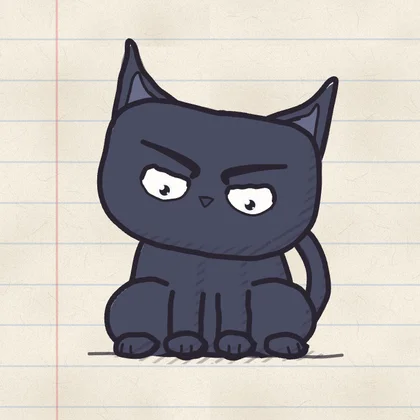
Choose Larry, Nori, EvoCat or Stare independently of your blocking method. Every focus hour builds toward your cat’s Level 2 appearance at 100 hours. Usage reports show phone habits; evolution gives your protected time a visible milestone. These are different forms of feedback, not a measure of brain health.
Questions before you switch.
Why choose EvoCat instead of one sec?
Choose EvoCat when you want hard block and earned breaks through chess, camera-counted push-ups, mental math or breathing in the same app, with usage reports and a cat that evolves at 100 focus hours. one sec also offers strict blocking; the distinction is EvoCat’s particular challenge and companion combination.
Does EvoCat offer a breathing pause like one sec?
EvoCat offers a breathing challenge as one earned-break method. Complete it, then choose a 1–15 minute timed break. Chess, push-ups and mental math are other options. Hard block disables these regular breaks.
Does EvoCat’s hard block have an emergency option?
Yes. During an active scheduled hard block, Settings → Emergency Unblock offers one emergency pause per calendar week: 1, 3, 5, 10 or 15 minutes. Blocking resumes afterward if the schedule is still active.
Is EvoCat free to use after the trial?
App blocking and core features require a paid subscription after an eligible free trial. Trial eligibility, duration and renewal terms are shown in the app. A free download is not permanent free access to these features.
Sources & comparison notes
Comparison by EvoCat. Official product descriptions reviewed . Undocumented features are unverified, not assumed absent.
This compares the iPhone use case for one sec (App Store ID 1532875441). Both apps document full blocking as well as interventions; one sec is not described here as pause-only. This is a publisher comparison of documented features, not an independent bypass or effectiveness test. Research about one sec is not evidence of EvoCat’s results.
Protect your next hour.
Choose your cat, choose your blocking method, and protect the next part of your day.
Download EvoCat ↗