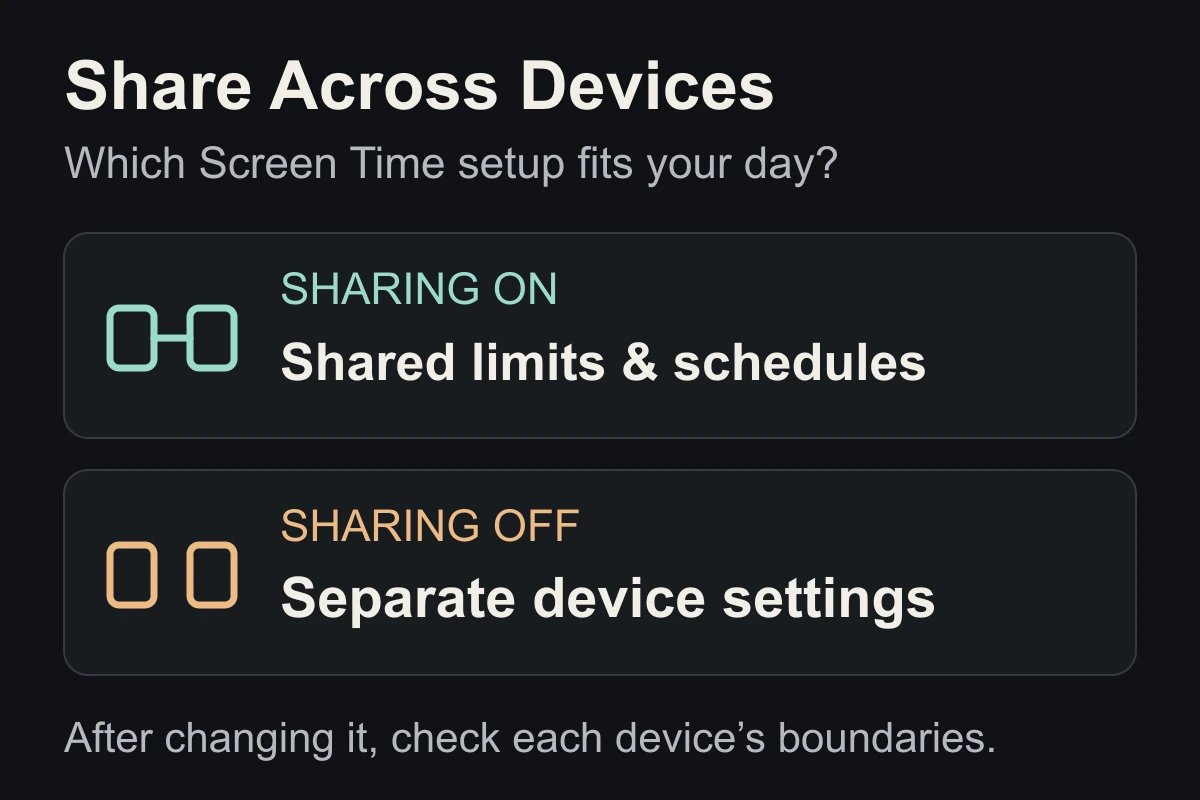
What does Share Across Devices do?
It shares usage data as well as restrictions. A combined report can include your Mac workday alongside your iPhone use. A larger total does not automatically mean you spent more time scrolling.
- On: useful when you want a boundary to follow you between devices.
- Off: useful when your work computer and personal phone need different rules.
How to turn Share Across Devices off on iPhone
Open Settings → Screen Time, then:
- iOS 26: scroll down to Share Across Devices.
- iOS 27: open Manage Screen Time to find the switch.
Switch it off for separate settings, or on to sync. Apple’s iOS 27 guide lists version requirements for sharing; use the source matching your devices below.
After changing it, review the limits and schedules on each device. Do not assume your existing setup still matches your intention.
Only want to see your iPhone’s screen time?
Try the report’s device selector before changing your sharing preference. On iOS 26, open See All App & Website Activity → Devices and select your iPhone. Report menus vary by version.
For your next comparison, record the same device and date range. Our Screen Time report guide helps you choose what to track.
If your goal is less unwanted scrolling, choose one session to change using our screen-time reduction plan. Changing the report alone does not change the habit.
Close the tab. Try this.
One small action.
Check whether sharing is on, name the device you want to focus on, and review one limit there. Keep the setting that fits your plan.
Choose the devices your boundary should cover before judging the total.
Sources & context
- Apple — Get started with Screen Time (iOS 26) ↗
Official reference for sharing, separate settings and the Devices report selector. Checked October 5, 2026.
- Apple — Set up Screen Time for yourself (iOS 27) ↗
The newer guide places sharing under Manage Screen Time and lists OS requirements across devices. The choice examples and exercise are editorial suggestions.
Written by EvoCat, the app’s publisher. Educational guidance, not medical advice. Our editorial approach · Suggest a correction
Put a boundary into practice
Let a cat interrupt the habit.
EvoCat adds challenges before screen access, with a strict blocking option too.
Explore EvoCat for iPhone ↗